
Jedd, the Jedd Social hound
Social media help for busy small businesses

Howl once.
Everyone hears it.

Running your business comes first. Tell Jedd what’s happening—or point him to something you’ve already made. He prepares posts in your voice for you to check, change and schedule.

No card needed. Start with one business and upgrade whenever you're ready.

BlueskyMastodonTelegramPinterestThreadsearly accessFacebookInstagramLinkedInearly accessTikTokearly access

How Jedd works

From an idea to a published post.

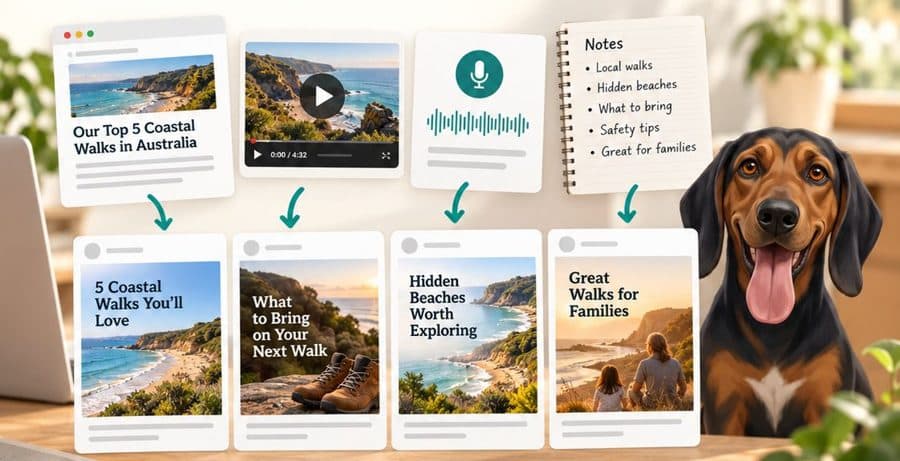
Start with an idea, a webpage or something you've already made. Jedd turns it into posts, then helps you check them and choose when they go out.

  1. Step 1

    Give Jedd something to work with

    Type a quick idea, add something from your website or use work you have already made.

  2. Step 2

    Read the posts Jedd prepares

    Check the words and pictures, make any changes and choose the social accounts you want to use.

  3. Step 3

    Choose when the posts go out

    Publish straight away or place each post on the calendar for later.

What Jedd helps you do

The useful parts, explained simply.

Jedd handles the repetitive social media jobs. You bring the know-how, check what Jedd prepares and make the final call.

Start with the basics

Tell Jedd about your business

Add your website and Jedd pulls together the useful bits: what you do, who you help, how you sound, and the colours and logo you already use. Check it over and change anything that doesn't feel right.

  • Start with your website
  • Keep the useful details together
  • Change anything whenever you like
Inside Jedd
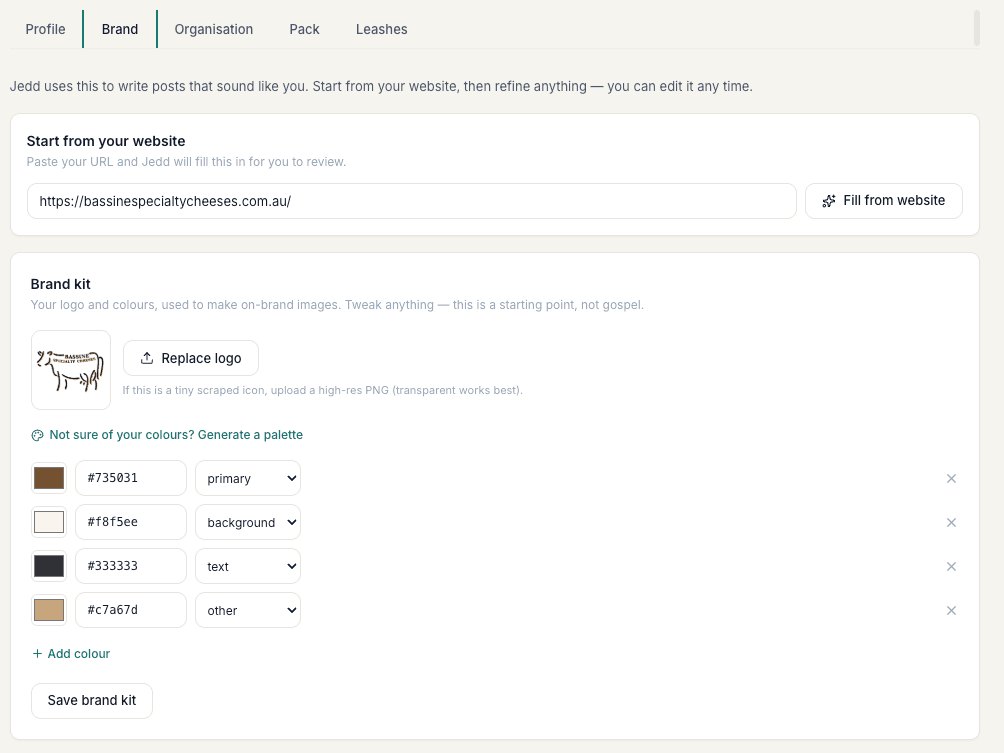
The Jedd screen for adding a website and reviewing business colours and logo

No blank page

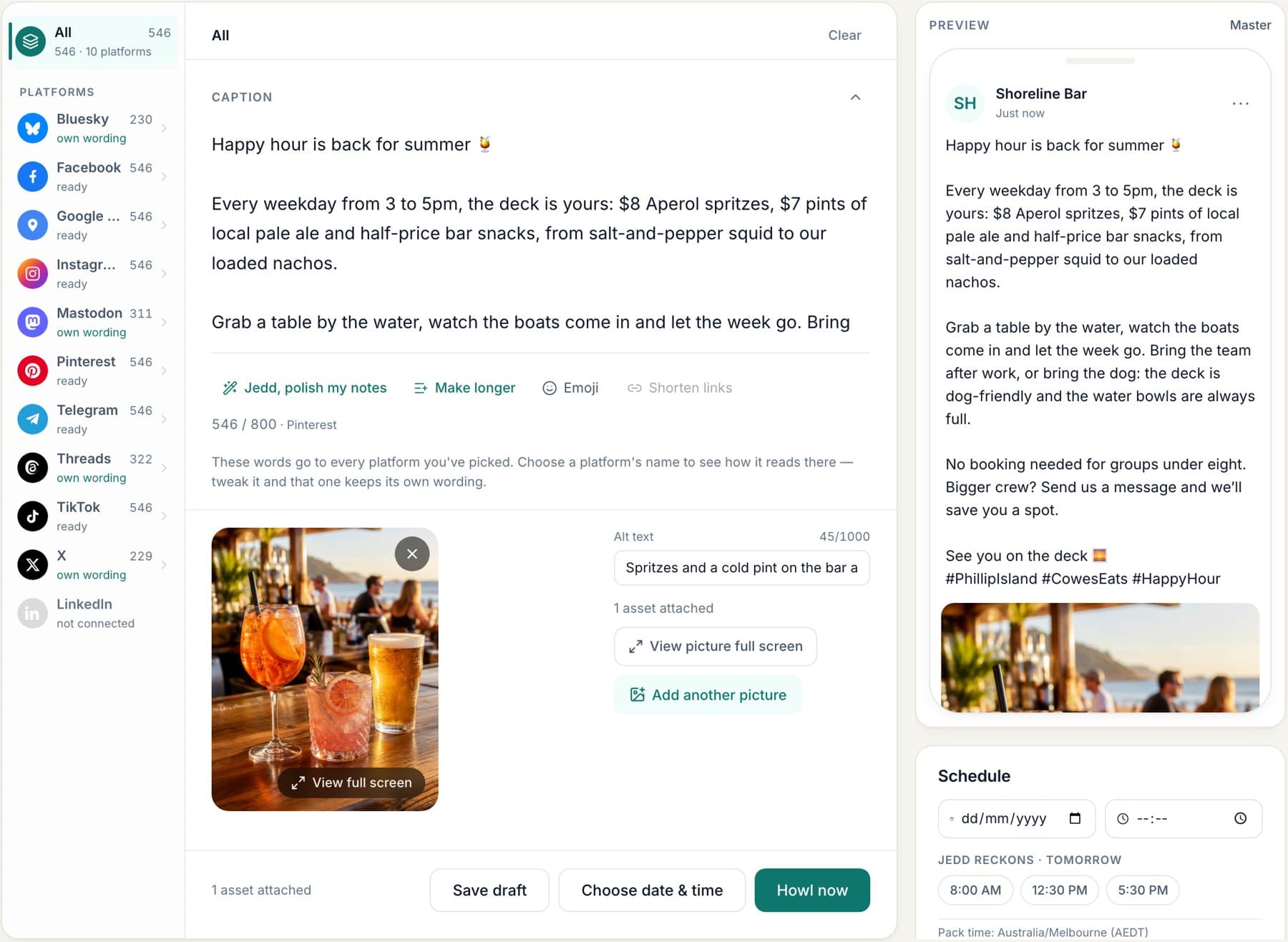
Turn an idea into social posts

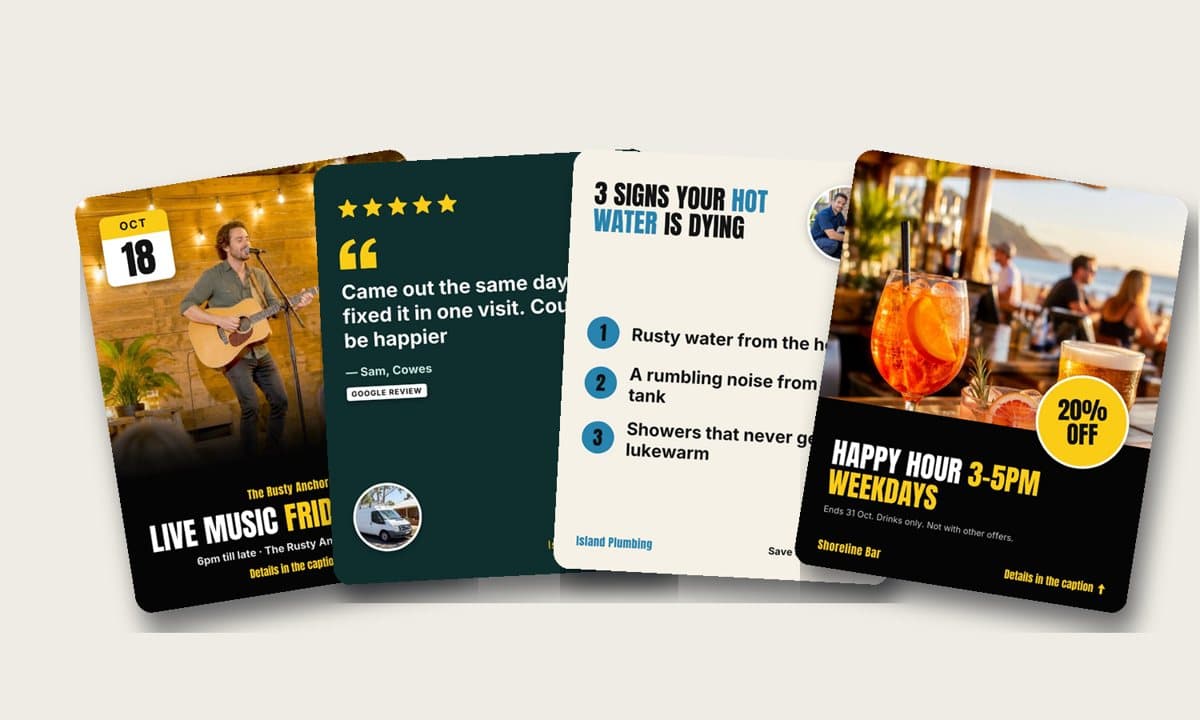
Bring an idea, a webpage, an article, a video or some notes. Jedd turns it into words and pictures, then shapes each post for the social accounts you choose.

  • Use work you've already made
  • Create single posts or carousels
  • Fit each post to each channel
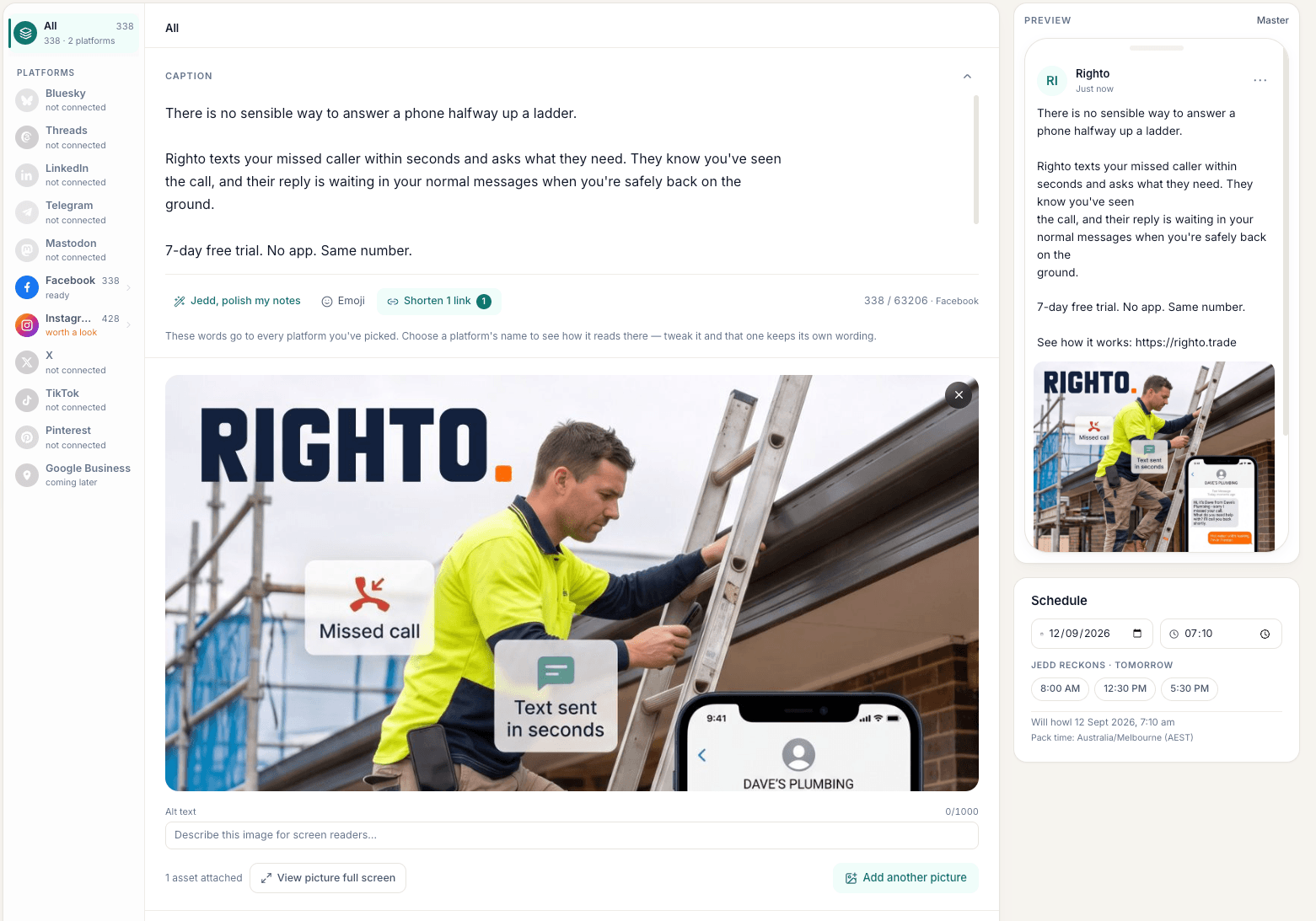
Inside Jedd
A social post being prepared in Jedd for several connected accounts

You stay in control

Check every post before it goes out

Jedd starts in Review, where you can read, change, save or skip every prepared post. You decide what goes out and when.

  • See why Jedd prepared it
  • Change the words or pictures
  • Approve only what feels right
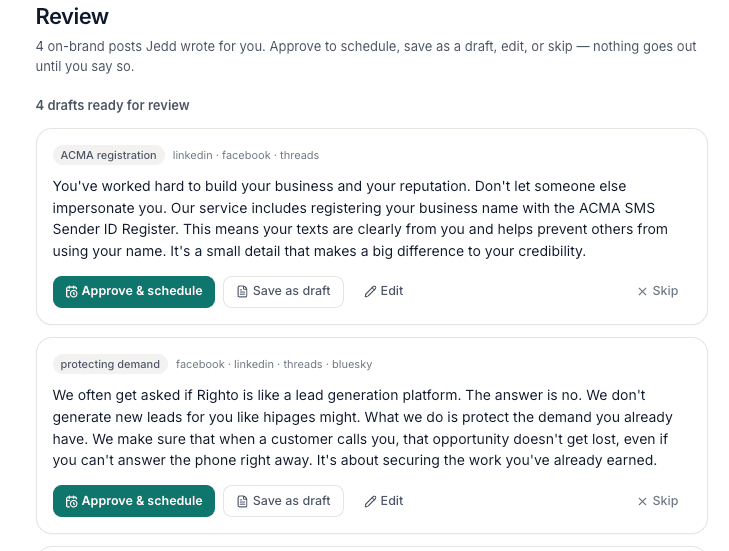
Inside Jedd
The Jedd review list with posts ready to check, edit or approve

A plan you can see

Plan the week on your Calendar

Click a future day to start a post, hover to check what is coming, or drag a scheduled post when plans change. Jedd keeps its words, pictures and social accounts together.

  • Start a post from the day you want
  • Drag scheduled posts to another day
  • Hover to check a post before opening it
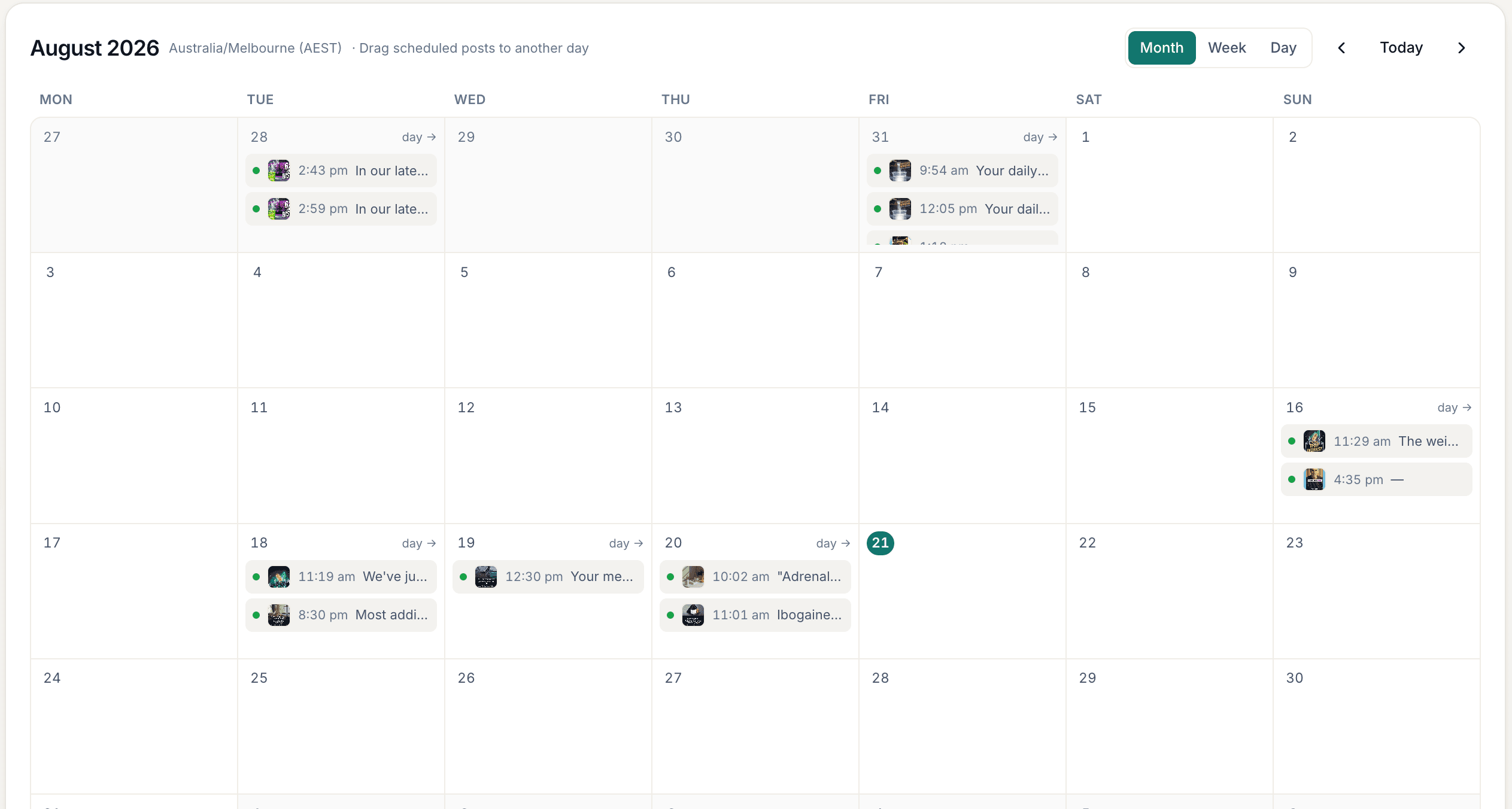
Inside Jedd
The Jedd calendar showing social posts planned across a month
Kaye Courtney of Bassine Specialty Cheeses

Kaye Courtney

Bassine Specialty Cheeses

Social media was always the job that slipped. Now the posts are written before I’ve even thought about them.

I look them over with my morning coffee, tweak the odd word, and they go out sounding like us. And the photos stay our photos, which matters when what you sell is real food from a real place.

You run the business.Jedd keeps the social posts moving.

Tell Jedd what’s happening—a new service, a quiet Tuesday or a seasonal offer—and he turns it into posts you can check, schedule and reuse. Less time staring at a blank box. More time doing the work customers pay you for.

More when you need it

More help when you’re ready.

You don’t need a content plan or a stack of tools. Start with everyday business updates. These extras are here when they’re useful.

Use what you already make

Connect a website, podcast feed or YouTube channel once. When something new goes live, Jedd prepares posts for you to check.

Make swipeable carousels

Give Jedd an article, a public video with captions or useful notes. He pulls out the main points and builds the slides for you to check.

Keep your photos handy

Keep real photos and video from your business together, ready to use again when the next post needs them.

Learn what works

See the results each network shares. Jedd uses what people respond to when preparing future suggestions.

Jedd in your AI assistant

Included with Starter, Growth and Studio

Ask Jedd from the AI assistant you already use.

Connect Jedd once to Claude, Cowork, Codex or a compatible ChatGPT connection. Then ask normal questions about every business you manage, without opening each one and piecing the answer together yourself.

Read-only. Your assistant can find and summarise Jedd information, but it cannot change a draft, schedule a post or publish anything.

Inside Jedd · Integrations
Jedd's AI assistant connection settings and read-only privacy explanation

Ask things like…

What’s scheduled across all my businesses through Friday?

What still needs reviewing?

Which social accounts need attention?

What performed best last month?

Social accounts

Where Jedd can post today.

Connect the accounts marked Available now. Early access connections will open as their networks approve access. X uses your own developer account.

Available now

Connect these accounts and publish through Jedd.

BlueskyFacebookInstagramMastodonTelegramPinterest

Early access

These connections aren’t open to everyone yet.

ThreadsLinkedInTikTok

Your own connection

Already have an X developer account? Connect it to Jedd and pay X directly.

X

Use the network's own sign-in where it's available. Jedd never asks for your social password, and you can disconnect an account whenever you like.

Founding price

One business. Everything you need to keep posting.A founding price you keep.

Create, review, schedule and reuse posts for one business. Keep your founding price while your subscription stays active.

Compare Free, Starter, Growth and Studio

Founding Starter

A$19

a month

or A$190 a year · two months free

  • One business
  • Create, review, schedule and reuse posts
  • Every feature available today
  • 30 AI images each month
  • 10 video uploads each month
Start my 7-day free trial

Card required. Cancel before the trial ends and you won't be charged. All charges are in Australian dollars.

Take social media off your to-do list.Put Jedd to work on your next posts.

No content plan needed. Start with one idea, a webpage or something you’ve already made. Jedd prepares the posts; you decide what goes out.

Try Founding Starter

7 days free, then A$19/month. Card required. Cancel anytime.

Or start with Pawprint Free — no card